Radiant Imaging Labs
Noch nicht übersetzt Diese Seite zeigt den englischen Text, bis die Übersetzung fertig ist.

Works with · Photoshop Elements

The full Radiant Photo editor, from a Photoshop Elements layer.

Radiant Photo’s installer sets its filter up for Photoshop Elements 2022 to 2027. In the Photo Editor’s Expert mode, the filter opens your layer in the full Radiant Photo editor, and Done sends the edit back to that layer.

InRadiant Photo

  • Set up by the installer
  • Elements 2022 to 2027
  • The full editor on your layer
  • Repair in Radiant Photo’s Settings
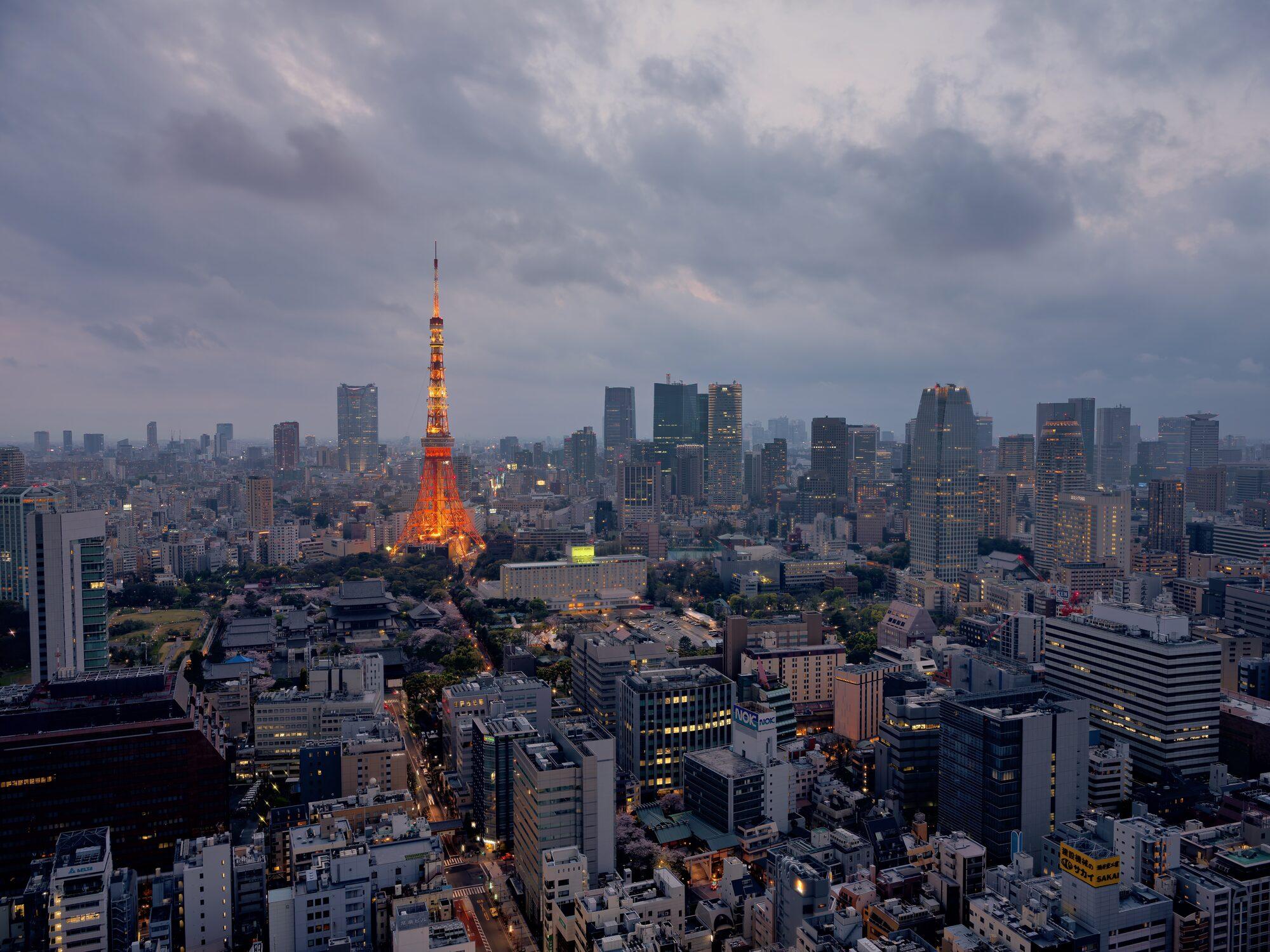
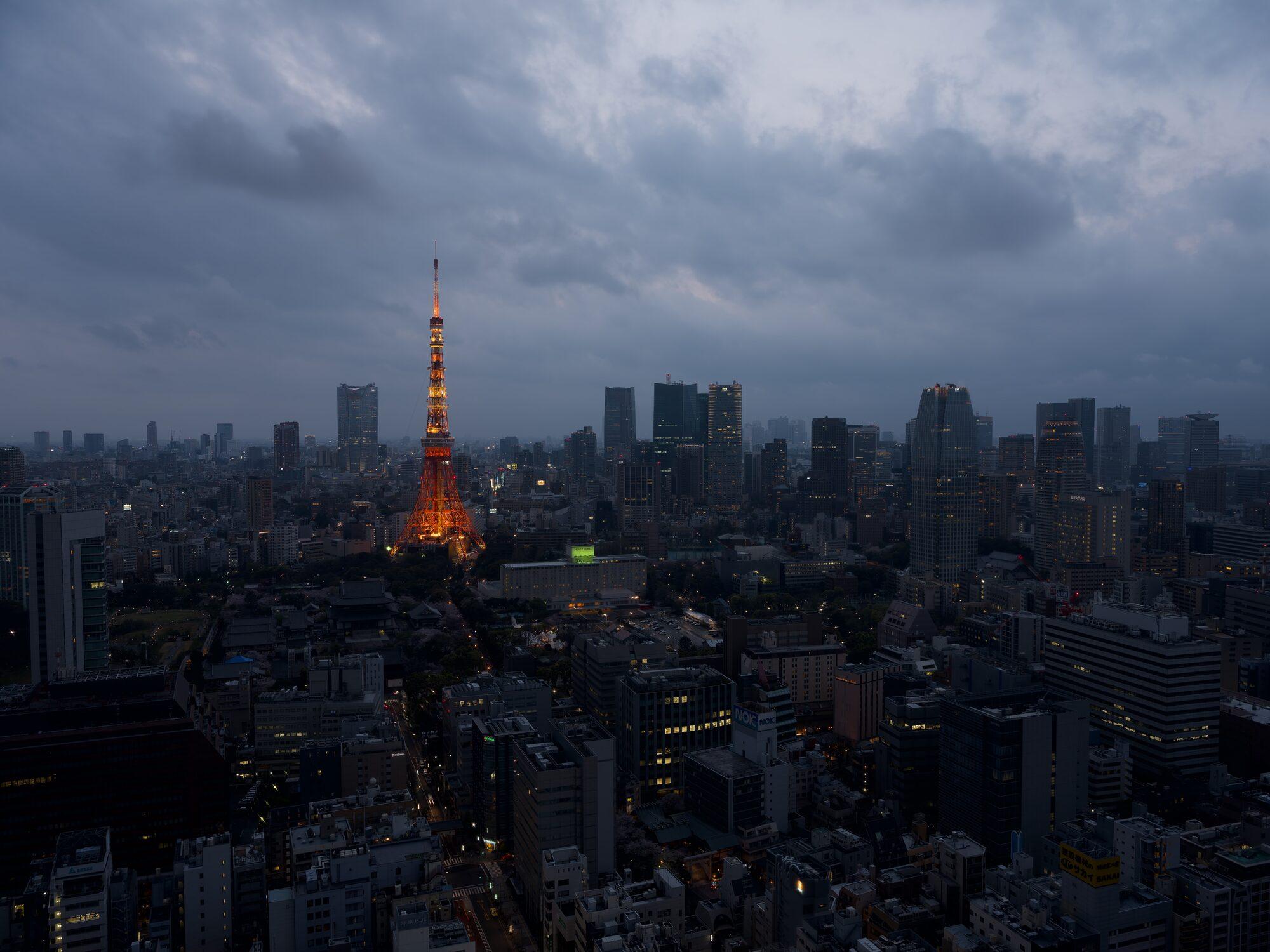
Nachher: Der Tokyo Tower leuchtet in der Dämmerung unter schweren Wolken.Vorher: Der Tokyo Tower leuchtet in der Dämmerung unter schweren Wolken.
Foto: Elia Locardi

One filter, set up for you

What Radiant does with Photoshop Elements.

Each has its own section below: how it works, step by step, and what to know.

Radiant Photo

Your layer, in the full Radiant Photo editor.

Radiant Photo 2.5...Photo Editor › Expert › Filter › Radiant Imaging Labs

Run the filter from the Photo Editor’s Expert mode and your layer opens alone in Radiant Photo’s editor, as it does from Photoshop. Correct it, give it a Look, work on a portrait, then click Done and the edit is back on the layer.
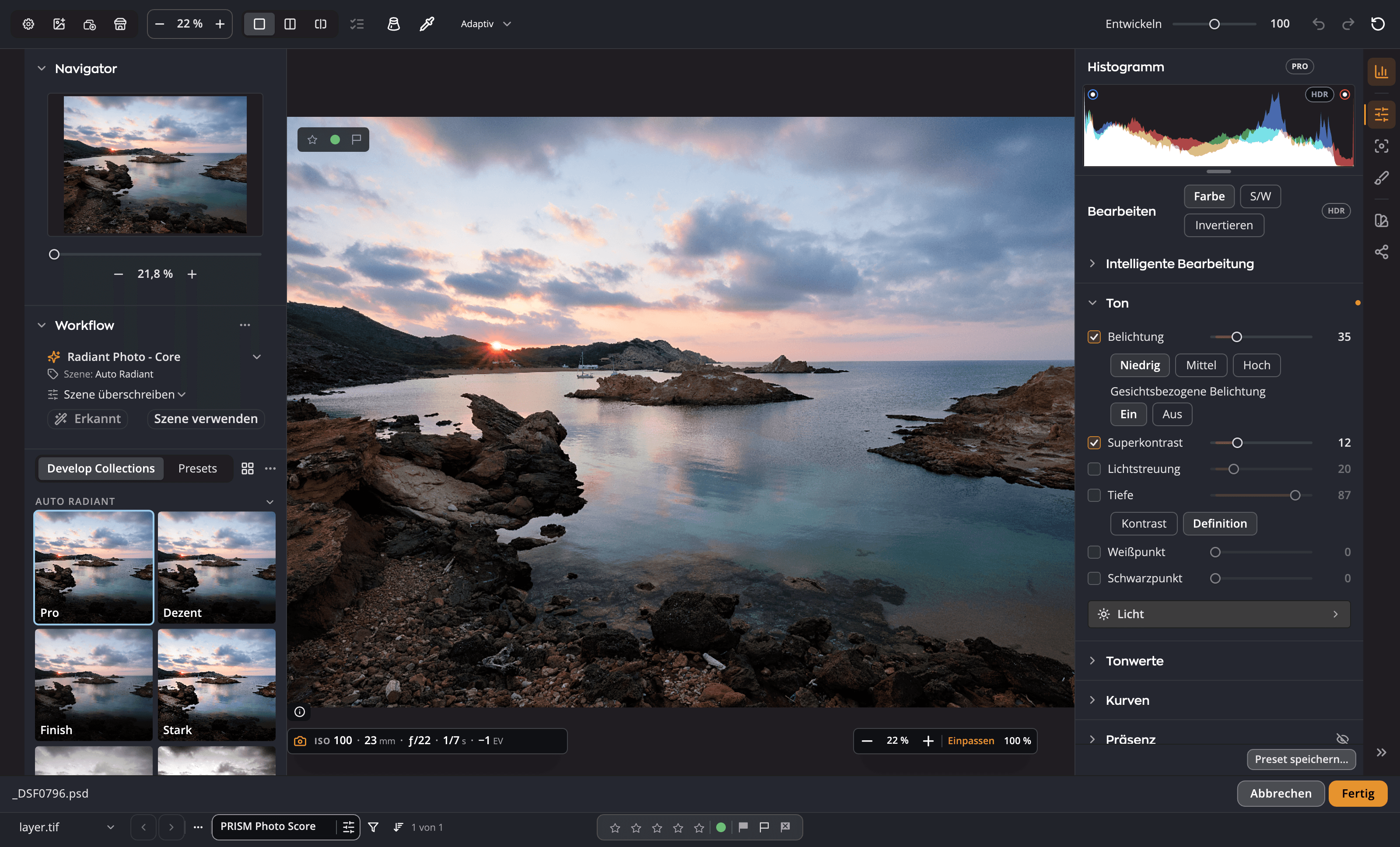
Radiant Photo’s editor with a Photoshop layer open, and Cancel and Done on the bar under it.

How it works

  1. Open a photo in Photoshop Elements’ Photo Editor, and switch to Expert mode. From Photoshop Elements 2024, Adobe names that mode Advanced.
  2. Choose Filter › Radiant Imaging Labs › Radiant Photo 2.5....
  3. The editor opens with your layer alone. Edit as much or as little as you like.
  4. Click Done to send the edit back, or Cancel to leave the layer as it was.

Where you save time

  • No file round tripNo exporting a copy, no opening it again, no lining it up. The layer goes out and comes back in place.
  • Nothing to set upThe installer finds each Photoshop Elements from 2022 to 2027 and puts the filter in. There is no folder to point at.
  • The same filter Photoshop loadsIt keeps its name, Radiant Photo 2.5..., and its place under Filter › Radiant Imaging Labs, so what you learn here holds in Photoshop too.

Good to know

  • Photoshop Elements has no Smart Filters, so the edit becomes part of the layer. Duplicate the layer first to keep your original underneath.
  • The Radiant panel is for Photoshop. In Photoshop Elements you get the filter.
  • Photoshop Elements 2021 and older are left as they are.
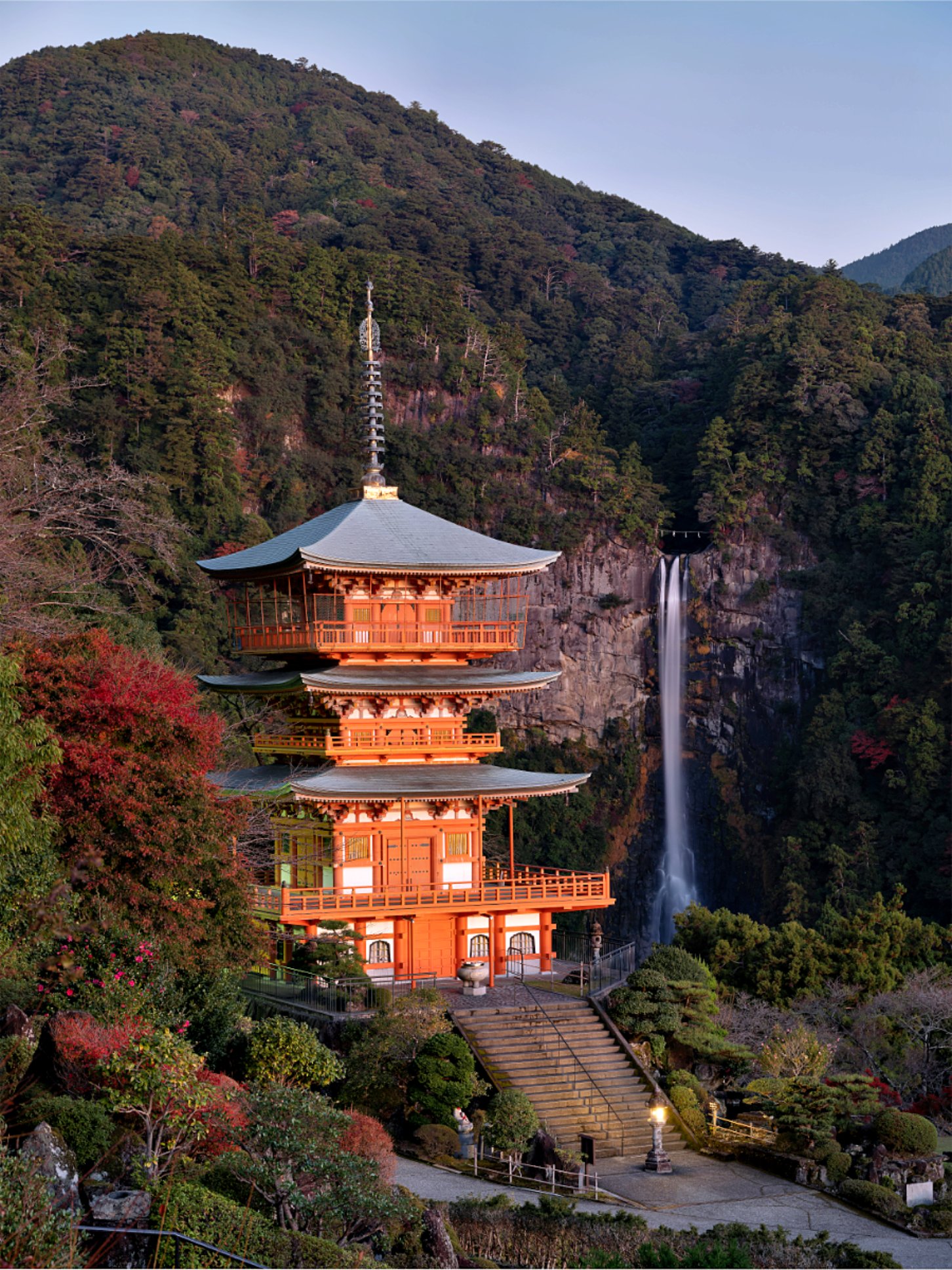
On your layer

The editor’s tools come with it. Drag to compare.

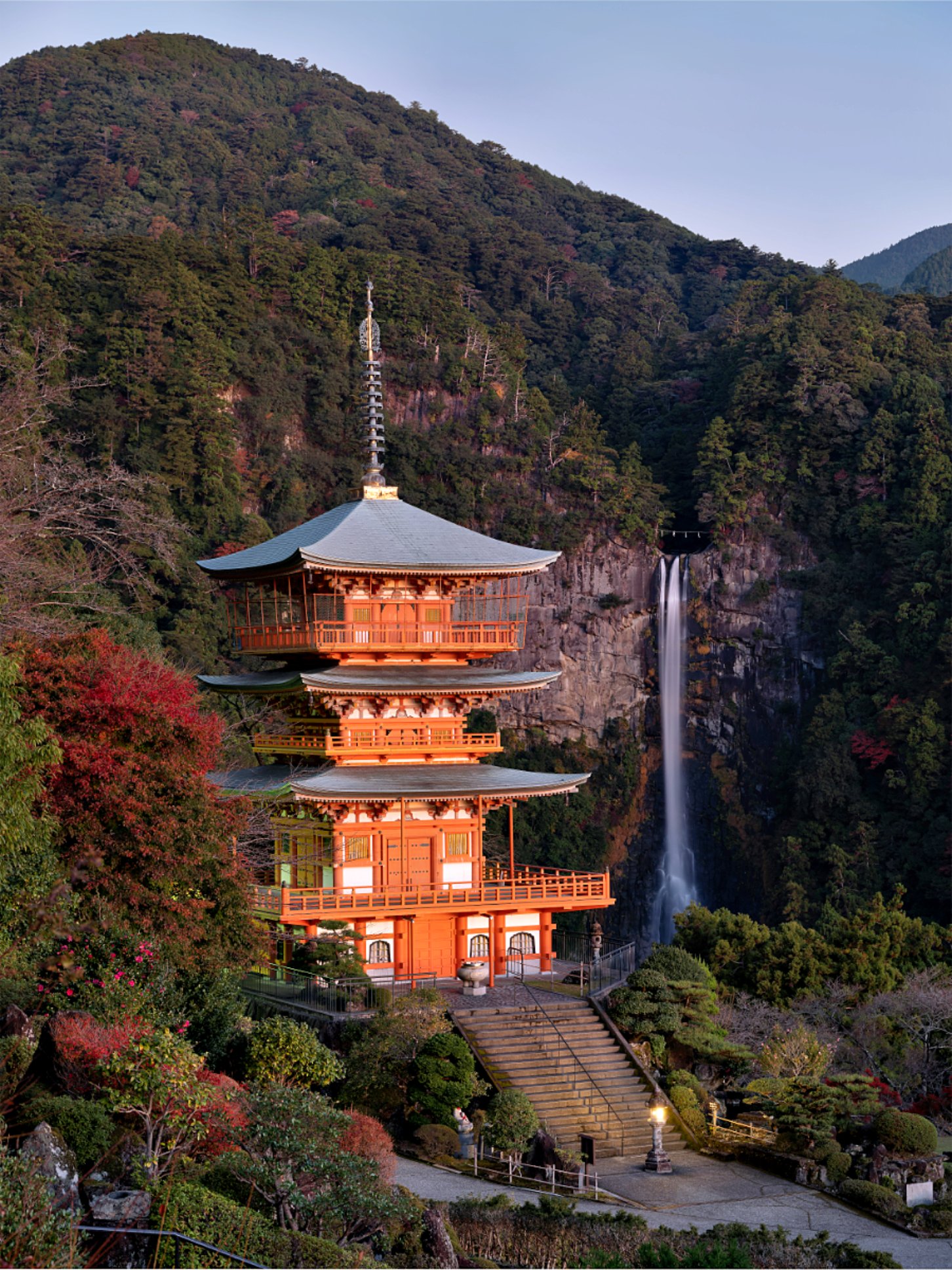
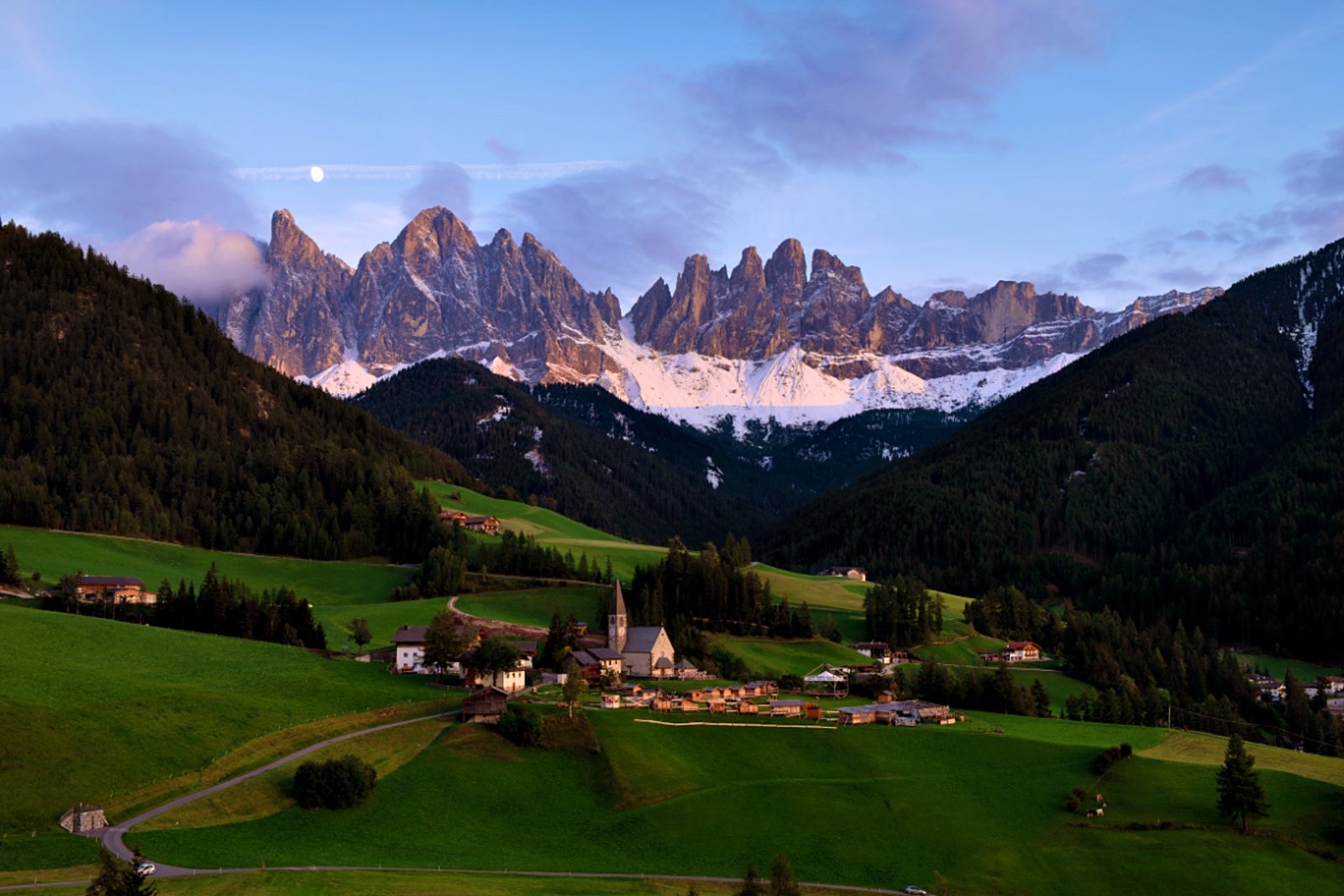
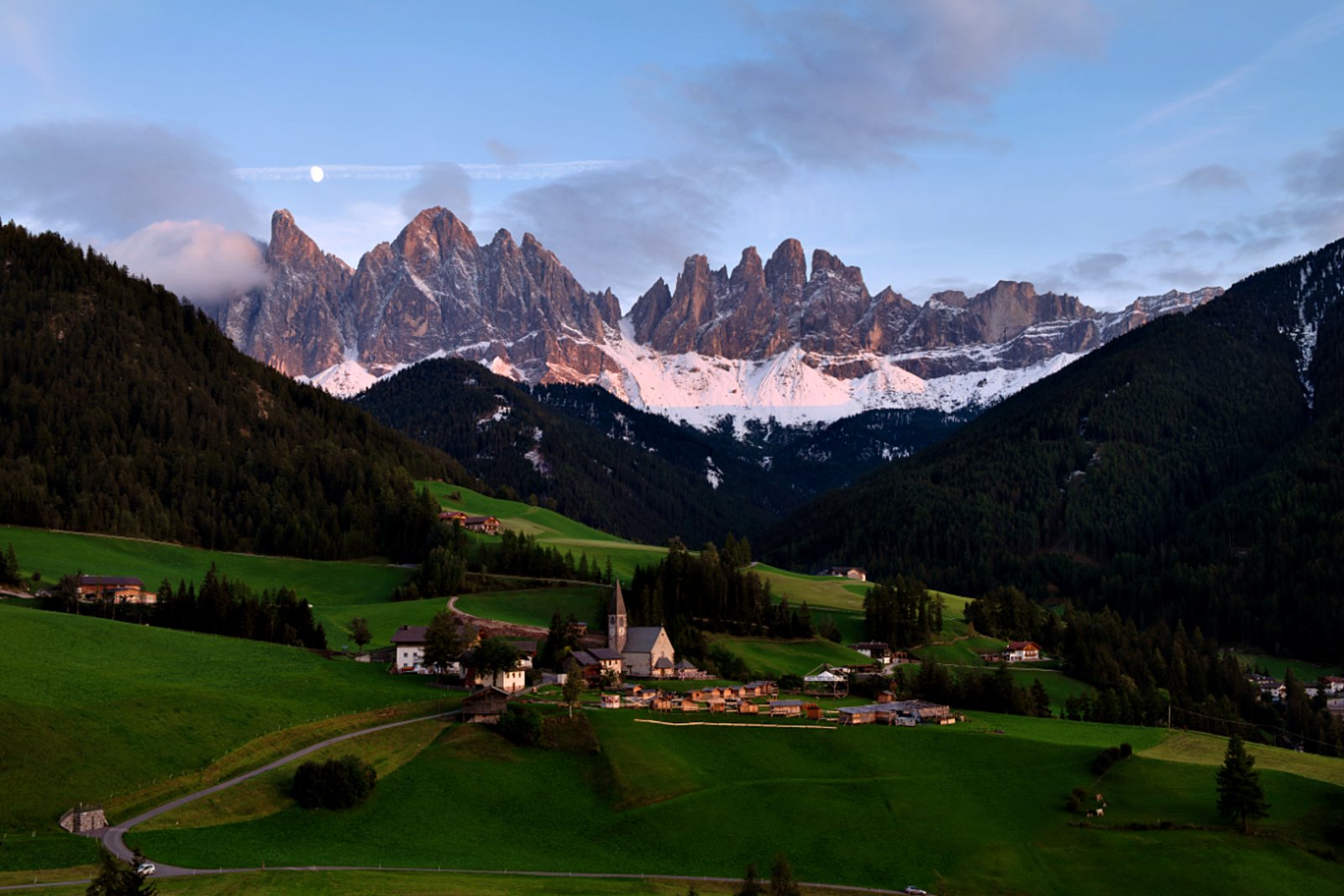
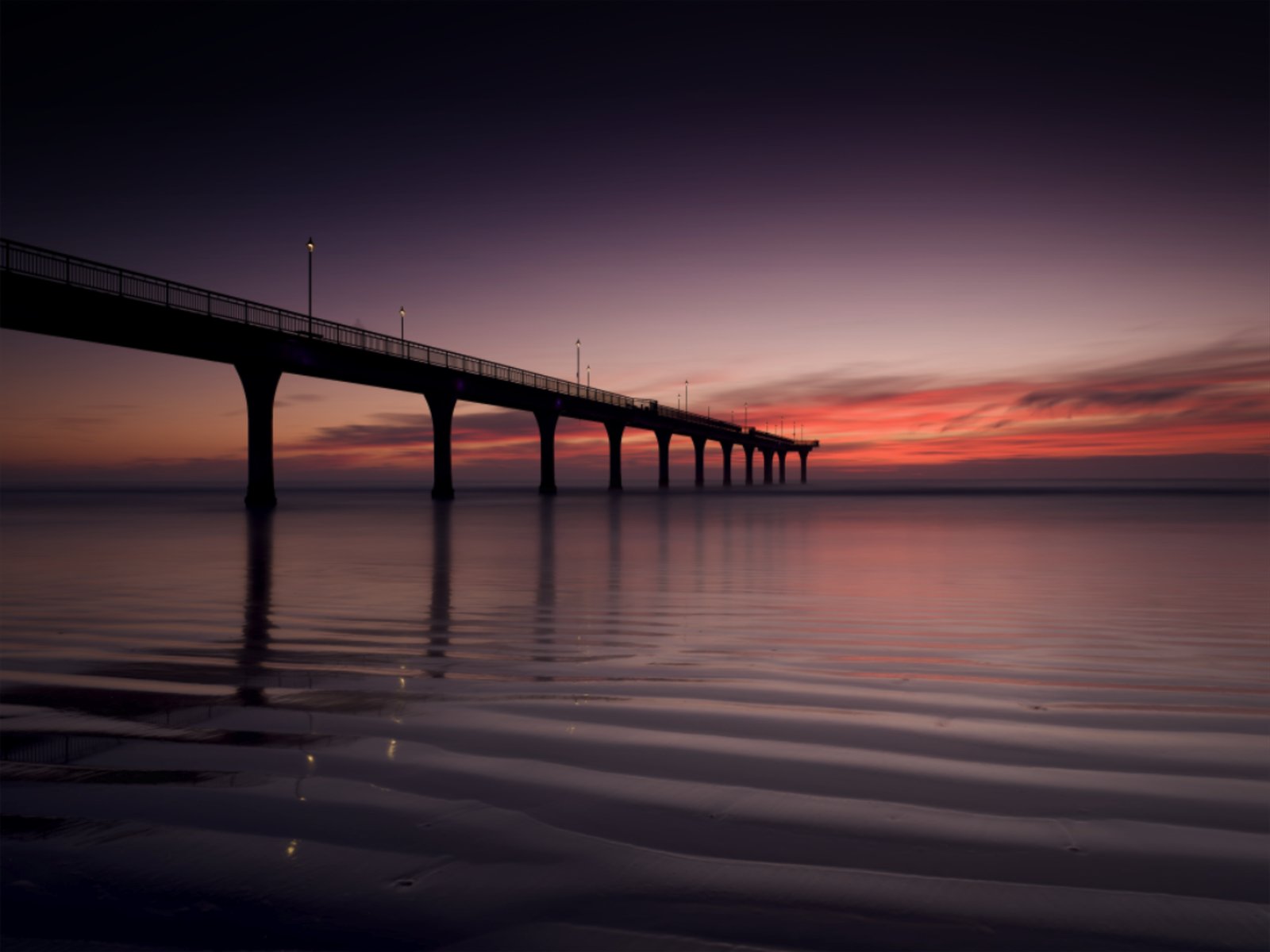
Each pair is Radiant Photo’s own render: the photo as shot, then the same photo with that one tool.

A red pagoda in front of a tall waterfall on a forested mountain.A red pagoda in front of a tall waterfall on a forested mountain.
Atmosphere +35 lifts the haze off the hills and the falls. Nothing else changed.
Jagged mountain peaks above green meadows, a village church and a pale moon.Jagged mountain peaks above green meadows, a village church and a pale moon.
Sky Toning deepens the blue above the peaks. The meadows stay as shot.
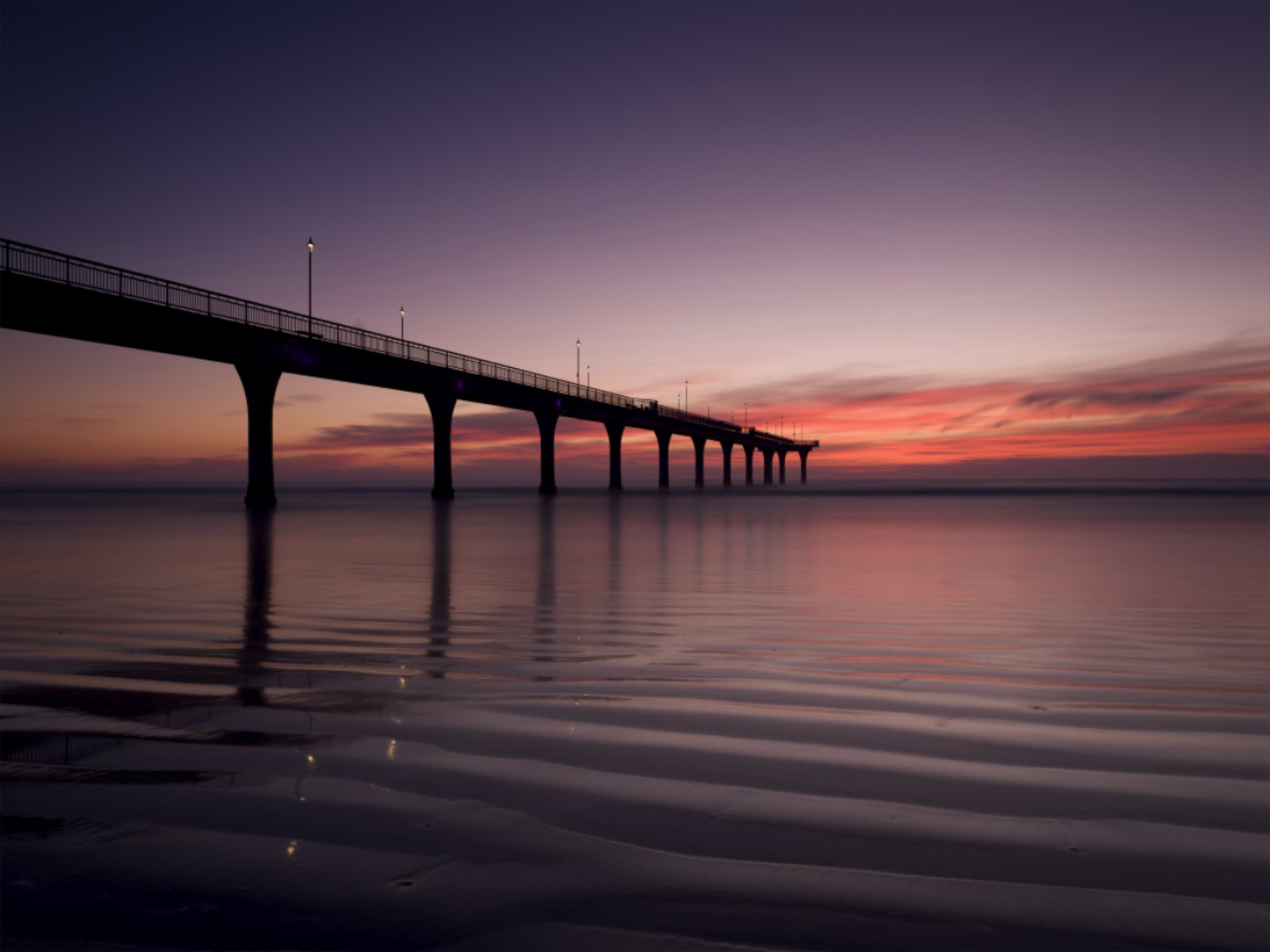
A long pier over still water at dusk, red cloud on the horizon.A long pier over still water at dusk, red cloud on the horizon.
A Graduated Filter on the sky alone: the top darkens, the pier and the sand stay as shot.
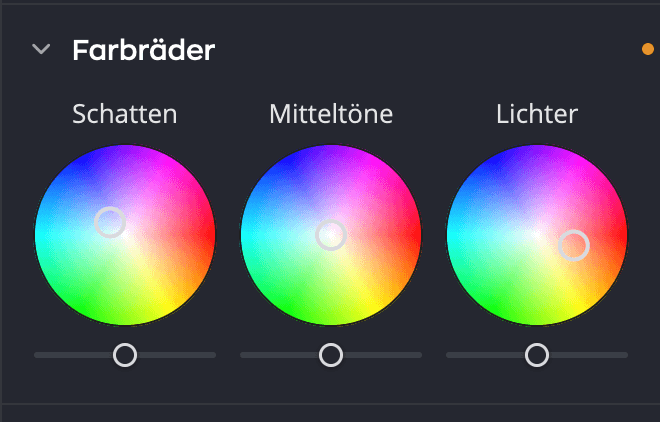
The Color Wheels panel: the Shadows wheel pushed toward blue, the Highlights wheel toward orange.
A bay at dusk, a white hotel on the far shore and a footbridge below.A bay at dusk, a white hotel on the far shore and a footbridge below.
Cool shadows and warm highlights: Shadows 200° at 16%, Highlights 35° at 15%.

Radiant Photo

See that it is set up, and put it back if it isn’t.

RepairRadiant Photo › Settings › Plug-ins

Radiant Photo’s Settings has a card for every app it works with on your computer, Adobe Photoshop Elements among them. The card says whether the plug-in is installed and where to find Radiant Photo in Elements, and Repair puts a missing plug-in back.

How it works

  1. In Radiant Photo, open Settings and choose Plug-ins.
  2. Find the Adobe Photoshop Elements card. Its Radiant Photo plug-in row reads Installed or Missing.
  3. If it is missing, click Repair. Your computer asks for an administrator’s permission once.
  4. Restart Photoshop Elements to load the plug-in.

Where you save time

  • No hunting through foldersThe card ends with Find it in Photoshop Elements and the menu command to choose, so you know where to look.
  • Installed Elements later?Click Check again after you install or update an app. If the card then reads Missing, Repair sets the filter up for that Photoshop Elements too.

Good to know

  • When Photoshop is installed too, Repair is on Photoshop’s card, and it puts the plug-in back for both.
  • A version too old for the plug-in reads Too old for this plug-in.
  • Radiant Photo never changes another app’s settings.

Compatibility

In Photoshop, and in Photoshop Elements.

PhotoshopPhotoshop Elements
The filter, Radiant Photo 2.5...YesYes, in the Photo Editor’s Expert mode
Set up by Radiant Photo’s installerYesYes, for Elements 2022 to 2027
The Radiant panelYes, in Photoshop 23.3 or laterNo
Smart Filters you can reopenYesNo. Photoshop Elements has no Smart Filters
Repair in Settings › Plug-insYesYes
Checked by RadiantTested with Photoshop 2026Not yet checked in Photoshop Elements itself

What you need

System requirements.

Photoshop Elements
2022 to 2027install it before Radiant Photo, or click Repair afterward2021 and older are left as they are
Radiant Photo
Installed and activatedits installer sets the filter up
Mac
macOS 14 Sonoma or laterApple silicon or Intel processor
Windows
Windows 10 version 22H2, or Windows 1164-bit PCOn a PC with an ARM processor, Windows 11 runs Radiant Photo through its built-in emulation

The filter is the one Photoshop loads, and it is tested with Photoshop 2026. Radiant has not yet checked it in Photoshop Elements itself. Using Radiant Photo with Photoshop · Support · Preise

Questions

Straight answers.

Do I need Radiant Photo?

Yes. The filter opens your layer in Radiant Photo on the same computer, and Radiant Photo’s installer sets the filter up.

Which versions of Photoshop Elements?

Photoshop Elements 2022 to 2027. The installer leaves Elements 2021 and older as they are.

I installed Photoshop Elements after Radiant Photo.

Open Radiant Photo’s Settings and choose Plug-ins. Click Check again, then Repair, and restart Photoshop Elements.

Is there a panel, as in Photoshop?

No. The Radiant panel is for Photoshop. In Photoshop Elements you get the filter, which opens the full editor.

Can I change the edit later?

Not from the layer. Photoshop Elements has no Smart Filters, so the edit becomes part of the layer. Duplicate the layer before you run the filter to keep the original underneath.

Do Radiant Flow and Radiant Raw work with Photoshop Elements?

Neither has a command made for Photoshop Elements. Radiant Flow’s Open In menu keeps one app of your choice that isn’t Radiant’s. The filter itself is Radiant Photo’s.

Radiant Photo comes first.

The filter installs with Radiant Photo. Try it free, then open a layer from Photoshop Elements.