Radiant Imaging Labs

Works with · Mylio Photos

Radiant and Mylio Photos, through files both can read.

Mylio Photos keeps your library. Radiant Photo is already in its Open with menu, with nothing to install, and what you finish goes straight back. Radiant Flow writes your ratings where Mylio Photos reads them, and Radiant Raw runs on a raw engine powered by Mylio.

InRadiant FlowRadiant RawRadiant Photo

  • Nothing to install
  • Edit a copy, or start from the original
  • Ratings both apps read
  • A raw engine powered by Mylio
After: Kuala Lumpur’s skyline at blue hour, the Petronas Towers lit.Before: Kuala Lumpur’s skyline at blue hour, the Petronas Towers lit.
Photo: Elia Locardi

Three apps, one library

What each Radiant app does with Mylio Photos.

Each has its own section below: how it works, step by step, what goes out and what comes back.

Radiant Flow

Rate in Flow. Mylio Photos reads it from the sidecar.

When a photo changes in two apps › MylioRadiant Flow › Settings › Sidecars

Radiant Flow and Mylio Photos can look at the same folders. The stars, color labels and rejects you set in Flow go into the .xmp sidecar beside each photo, where Mylio Photos reads them, and the rating, flag or color label you change in Mylio Photos comes back to Flow through the same file.

Radiant Flow

The sidecar beside each photo

  • DSCF4412.xmpNo marks yet
  • DSCF4118.xmpNo marks yet
  • DSCF4266.xmpNo marks yet

Select a photo, then rate, label or reject it.

A model of what Radiant Flow writes, not Mylio Photos’ window. The pause before the sidecar updates is the demo’s. Photo: Elia Locardi
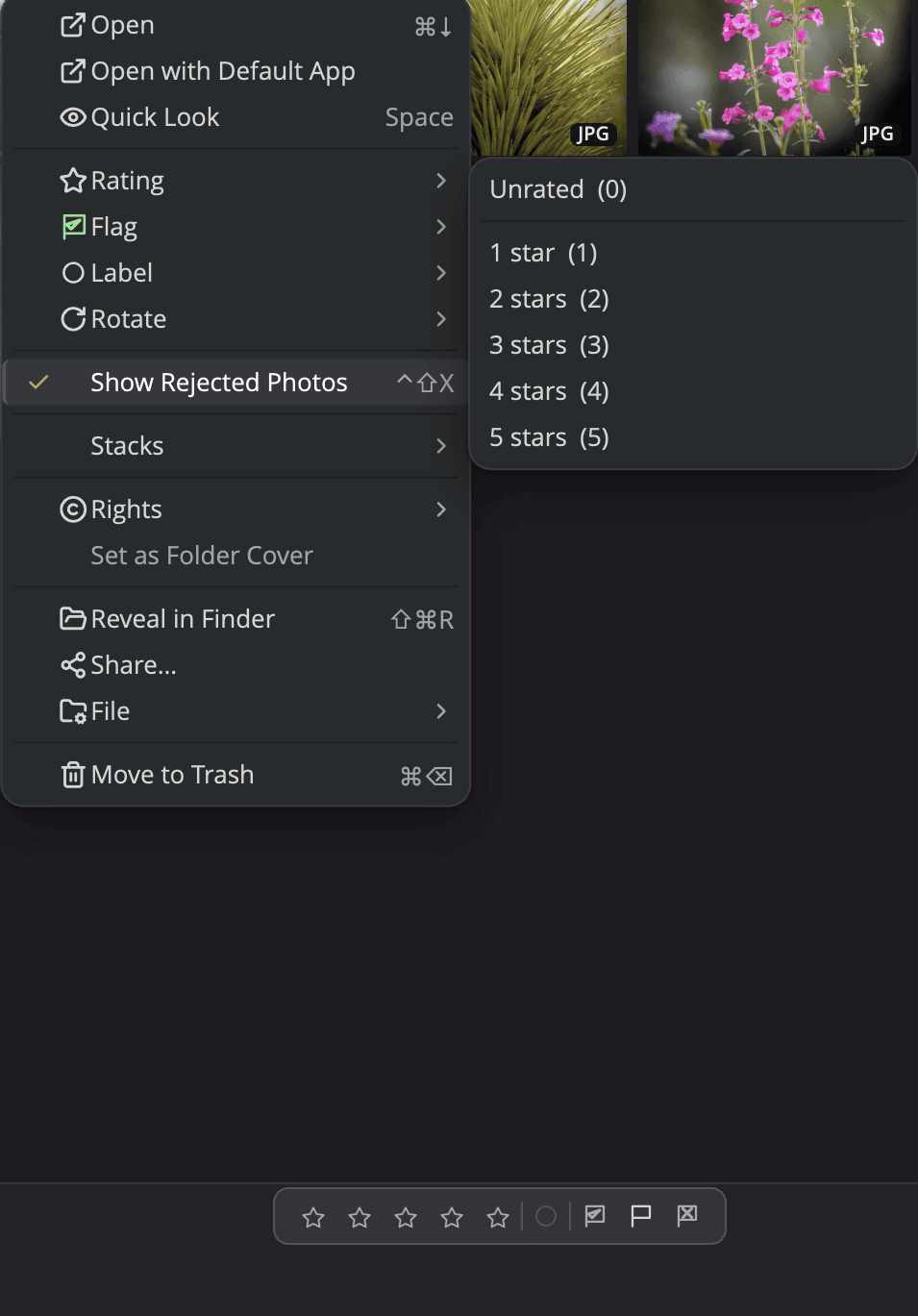
Radiant Flow’s Photo menu with Rating open, from Unrated to 5 stars, above the bar of stars, label and flags.
Stars, a color label and three flags, from the bar under the grid or from the Photo menu.
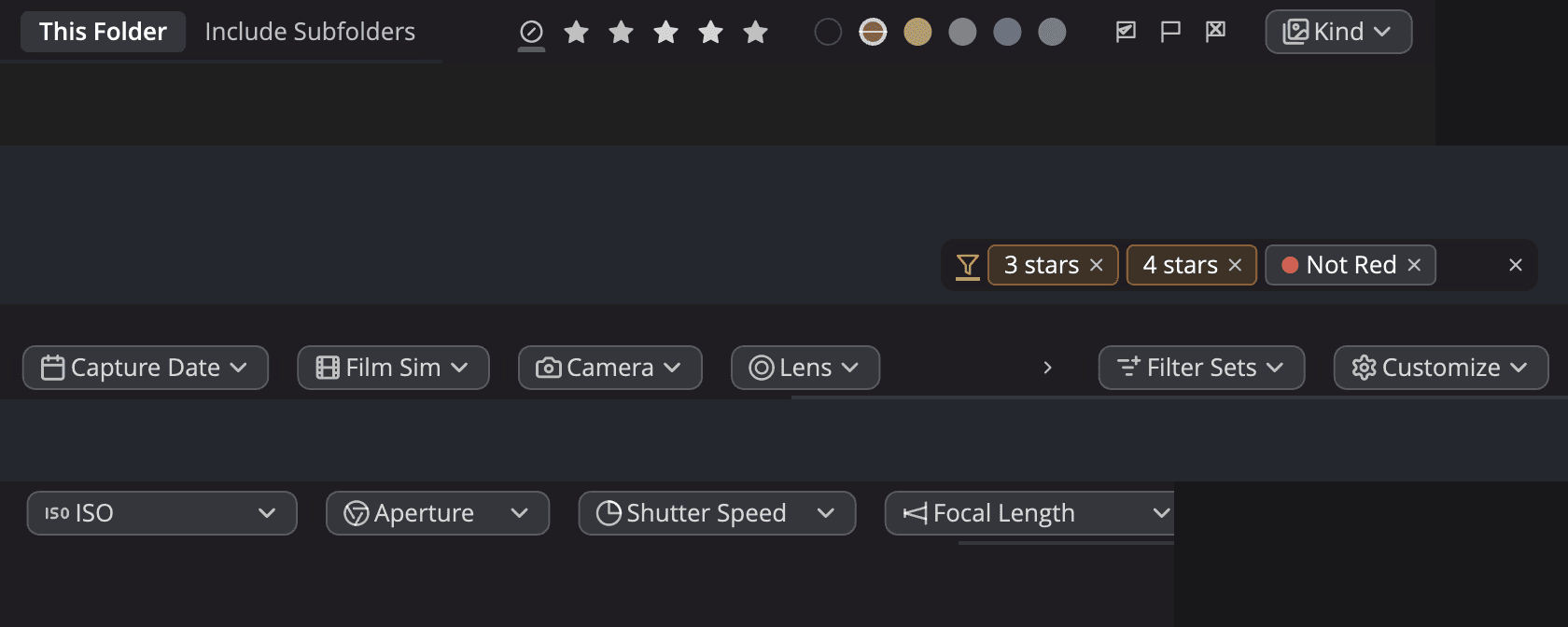
Radiant Flow’s filter row: stars, color labels and flags, with the filters 3 stars, 4 stars and Not Red set.
The same marks narrow a folder: here to three and four stars, without the red label.
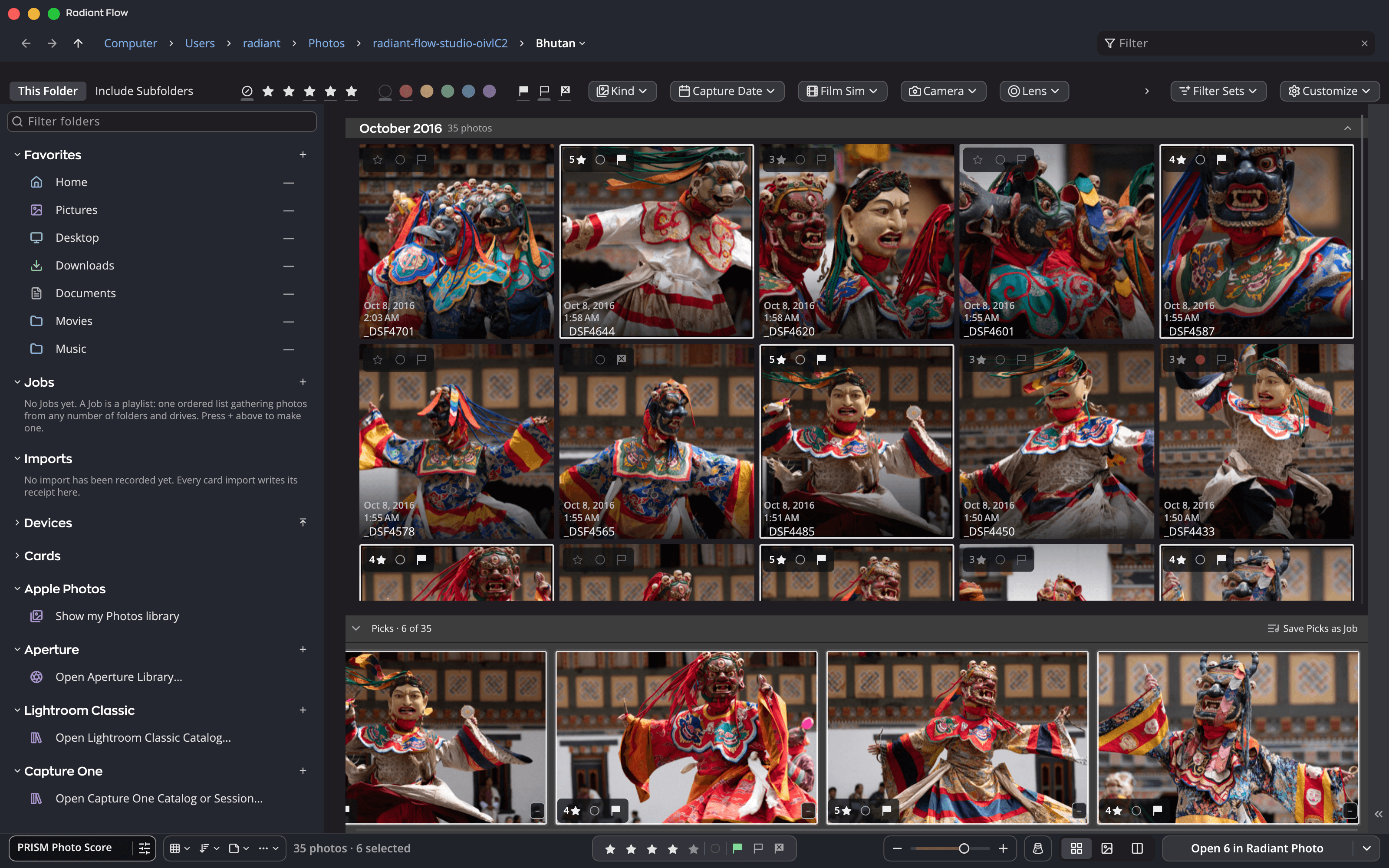
Radiant Flow’s grid with each photo’s stars and flags, and the Picks strip below.

How it works

  1. Open in Radiant Flow a folder that Mylio Photos also shows.
  2. Rate, label and reject as usual. Flow writes a raw file’s marks to the sidecar named after it: IMG_0001.CR3 gets IMG_0001.xmp.
  3. A reject is written as a rating of −1, which Mylio reads as a reject.
  4. If Mylio already keeps a sidecar beside a JPEG, TIFF or DNG, Flow updates that sidecar too, so Mylio sees your marks.
  5. Change a rating, a flag or a color label in Mylio Photos, and Flow reads it back from the sidecar.

Where you save time

  • Cull once, for bothThe stars and rejects from a fast cull in Flow are in Mylio Photos without marking anything twice.
  • Nothing to sendThere is no export and no import. Both apps read the small file that sits beside each photo.
  • You decide who winsIf a photo changed in both apps, the Mylio row decides which change stays: Mylio wins, Radiant wins or Newer change wins.

Good to know

  • Flow reads and writes the photo’s own file and the .xmp beside it. It never opens Mylio’s catalog or anything else in its library folders.
  • The marks Flow reads back from Mylio Photos are the rating, the flag and the color label.
  • Mylio wins unless you change the row.
Radiant Flow

Hand a finished cull to Mylio Photos, with nothing missing.

Send Job to › Mylio…Radiant Flow › File

Mylio Photos links folders itself, so Radiant Flow does everything up to that step. It checks that every rating, label and keyword of the Job is where Mylio reads it, writes what is missing, and shows you the folders to link.

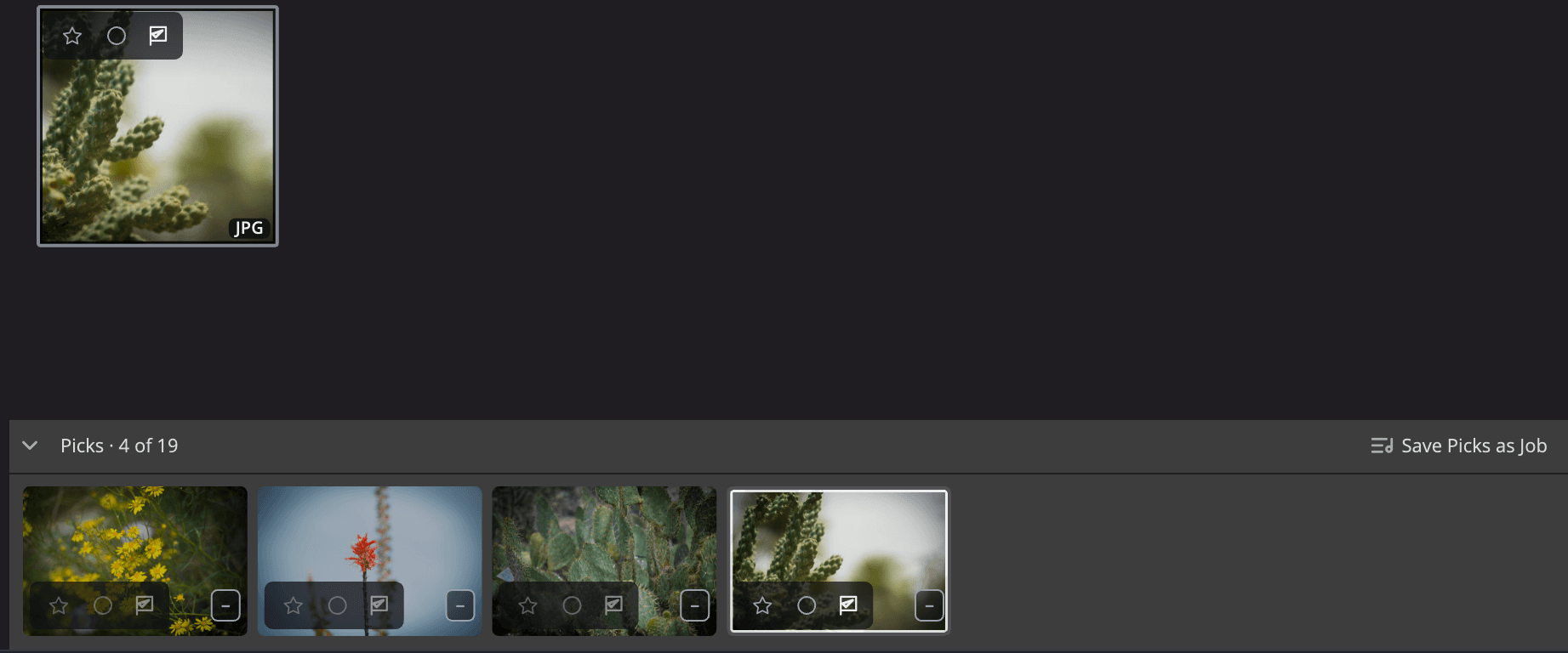
The Picks strip in Radiant Flow: four picked photos of 19, and the button Save Picks as Job.

How it works

  1. In Radiant Flow, open the Job and choose File › Send Job to › Mylio….
  2. Under Send, choose All members or Picks.
  3. Read Ready for Mylio. It counts what Mylio would not see yet, such as Raws with no sidecar, or keywords that are not in a photo’s sidecar.
  4. Click Write what’s missing. It only adds, and won’t change anything Mylio wrote.
  5. Click the Send button, which counts the photos that will go. With Reveal the Job’s folder when done checked, the Job’s folders open in the Finder, or in File Explorer on Windows.
  6. In Mylio, choose Add Media, then Link folder, and pick these folders.

Where you save time

  • Found before you leave FlowA raw file with no sidecar, a mark not yet written, a keyword the sidecar lacks: the check counts each one while you can still fix it with one button.
  • Your photos stay where they areA Job points at your originals. Nothing is copied into Mylio’s own folder: you link the folders the photos are already in.
  • A record of the sendReceipts… lists every send of the Job, newest first: where it went, what was sent and skipped, and when.

Good to know

  • Flow never opens Mylio Photos, and writes nothing into its library or its database.
  • A JPEG or TIFF that has marks and no sidecar gets one, unless it was shot with a raw file of the same name. A DNG carries its marks inside and gets none.
  • Photos on a card, a share or a read-only disk keep their marks in Flow: nothing can be written beside them.
  • On a Mac, if Mylio isn’t installed, the sheet says so.

Radiant Raw

Built on Mylio’s raw engine, and it reads Mylio’s marks.

When a photo changes in two apps › MylioRadiant Raw › Settings › Sidecars

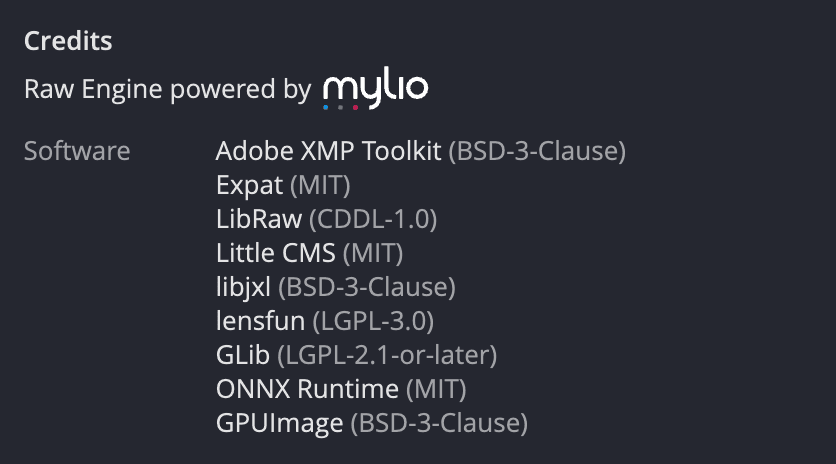
Radiant Raw and Mylio share more than a folder. Radiant Raw’s raw engine is powered by Mylio, as its About box says. And Radiant Raw reads back the rating, flag and color label Mylio Photos sets on a photo, so the two agree on which frames matter.

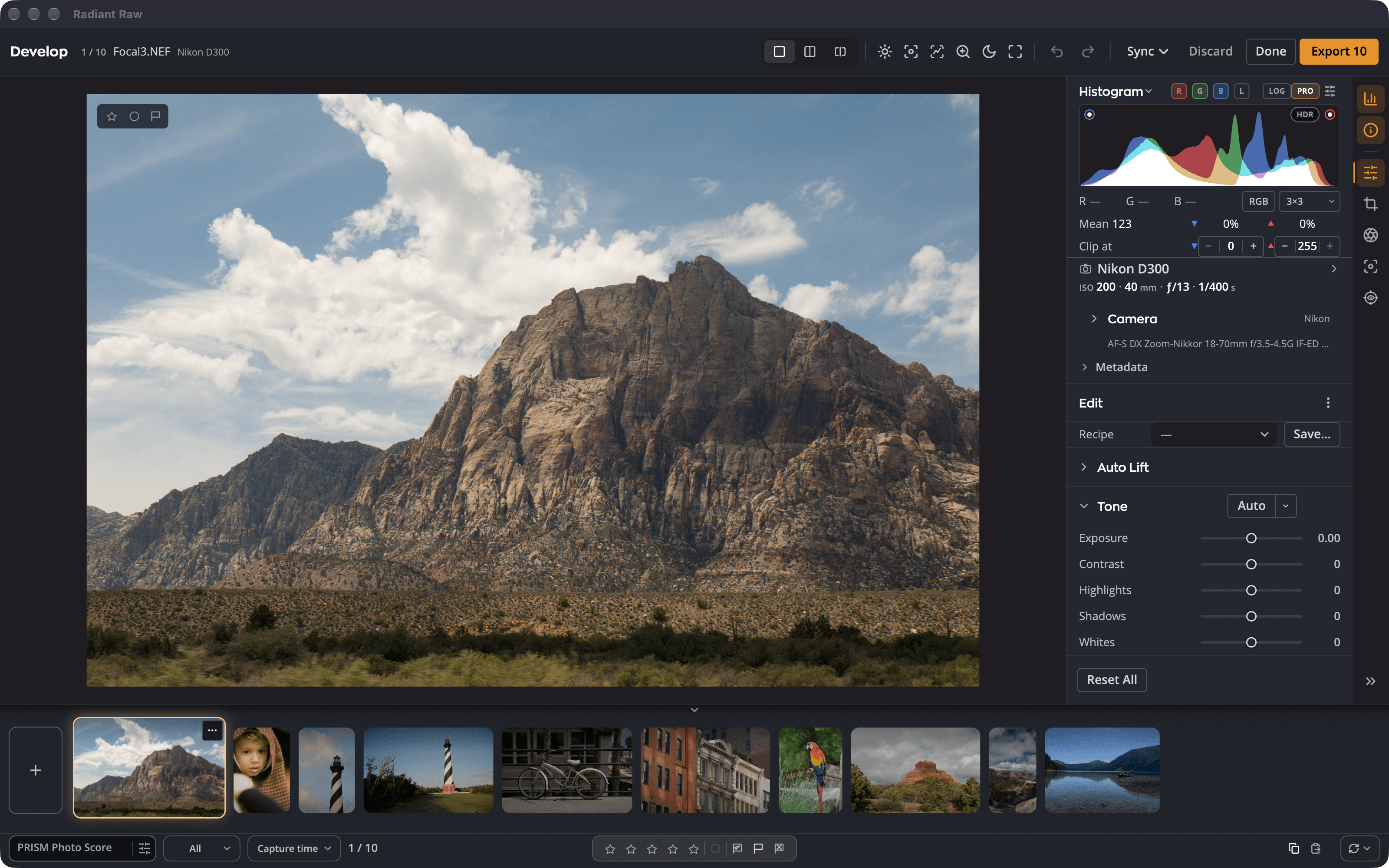
Radiant Raw’s develop window: a mountain under clouds, the histogram and the Tone sliders on the right, the filmstrip below.
Where the raw file is developed, on the engine powered by Mylio.
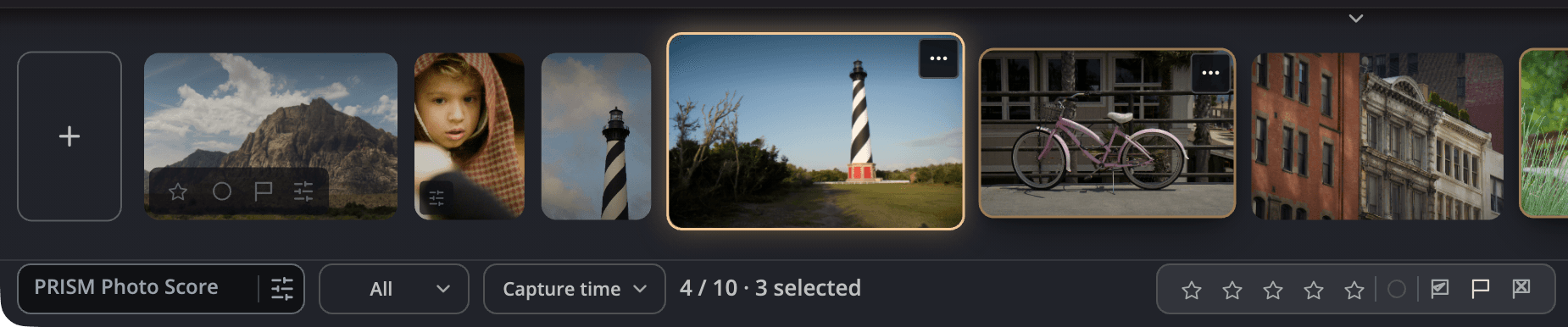
The bottom of Radiant Raw’s window: the filmstrip with three photos selected, and under it the stars, label and flag controls.
Stars, a color label and flags sit under the filmstrip. A mark you set here goes to the .xmp next to the photo.
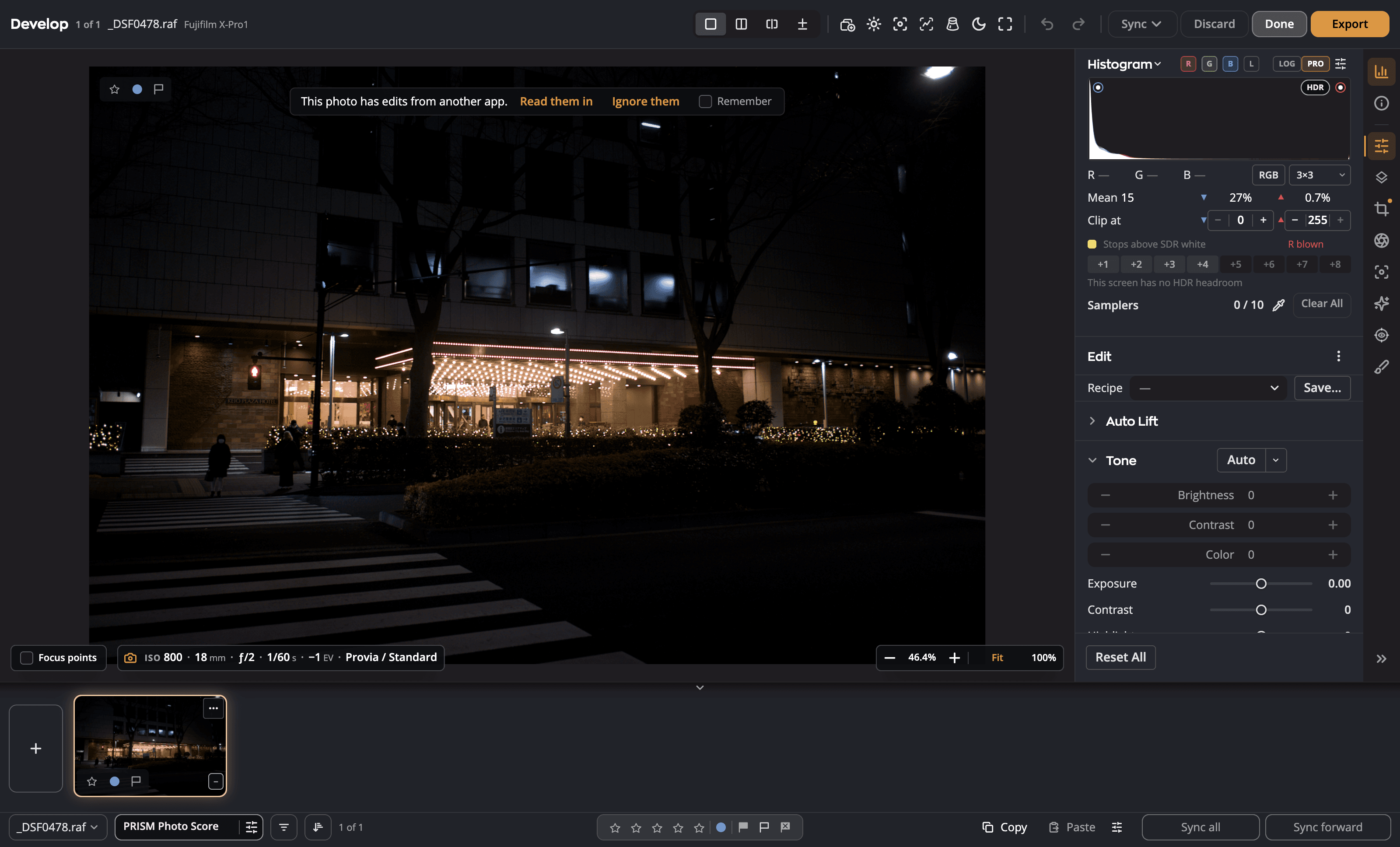
Radiant Raw’s develop window with a raw file open, 1 of 1: a building entrance strung with lights at night, behind a crosswalk. A banner over the photo says the photo has edits from another app, with Read them in, Ignore them and a Remember check box.
This raw file’s .xmp was written by Mylio Photos and holds edits. Radiant Raw asks before it uses them: Read them in, or Ignore them.
The Credits in Radiant Raw’s About box: Raw Engine powered by Mylio, with Mylio’s logo, above the list of software.
The first line of the Credits in Radiant Raw’s About box.

How it works

  1. Open in Radiant Raw a raw file from a folder Mylio Photos also shows.
  2. Radiant Raw reads the rating, flag and color label Mylio Photos set on it.
  3. Rate or label in Radiant Raw, and the mark goes to the .xmp next to the photo, the file most photo apps read.
  4. If that .xmp holds edits from another app, Radiant Raw says so over the photo. Click Read them in to use them, or Ignore them to keep Radiant Raw’s settings.

Where you save time

  • One set of starsA rating set in Mylio Photos is there when you develop, and a rating set while you develop is in the sidecar Mylio reads.
  • Asked, never surprisedEdits and a crop found in a sidecar are yours to take or leave: Read them in or Ignore them, Keep crop or Ignore.

Good to know

  • If a photo changed in both apps, the Mylio row under Settings › Sidecars decides which change stays. Mylio wins unless you change it.
  • With Remember on, Radiant Raw uses your answer about a crop for every photo. Settings › Crop › Crop found in a sidecar changes it later.
  • To see the credit, choose Radiant Raw › About Radiant Raw on a Mac, or Help › About Radiant Raw on Windows.

Radiant Photo

Send a photo from Mylio Photos. Get the finished copy back.

Edit a Copy with Mylio Photos AdjustmentsMylio Photos › Photo › Open with › Radiant Photo

Mylio Photos sends a photo to Radiant Photo with its Open with command. You edit a copy that carries your Mylio Photos adjustments, and one command saves it and takes you back. There is nothing to install.

Icebergs in a still lagoon under a glowing sky.
Mylio Photos
  1. Mylio Photos

    IMG_0042Your original. It never changes.

    What goes outA copy beside the original, named IMG_0042_edit, with your Mylio Photos adjustments.

  2. Radiant Photo

    What comes backIMG_0042_edit

  3. Mylio Photos

One photo is selected in Mylio Photos. Choose Edit a Copy with Mylio Photos Adjustments.

A model of the round trip, not Mylio Photos’ window. The photo is real: as shot, and as finished in Radiant Photo. Photo: Elia Locardi

How it works

  1. In Mylio Photos, select a photo.
  2. Choose Photo › Open with › Radiant Photo, then Edit a Copy with Mylio Photos Adjustments.
  3. Mylio Photos makes a copy beside the original, named after it with _edit, and opens it in Radiant Photo.
  4. Edit as usual.
  5. Choose Save and Return in the File menu; the command names the app the photo came from. Radiant Photo saves the edit over the copy, and Mylio Photos shows the result.

Where you save time

  • Nothing to installMylio Photos lists Radiant Photo under Open with by itself. Radiant Photo’s Settings › Plug-ins has a Mylio Photos card that says so.
  • No Save dialogThe edit is saved over the copy, in the copy’s own format. There is no name, folder or format to choose.
  • A quit doesn’t lose the editQuit Radiant Photo with an edited copy you haven’t saved, and it saves the copy back first. If that save fails, Radiant Photo doesn’t quit, and names each photo with the reason.

Good to know

  • Your original never changes.
  • You can press ⌘S instead, then switch back to Mylio Photos yourself.
  • Save all saves the copy the same way. If other photos are open, the Save dialog opens for them alone.

Radiant Photo

Start from the original. It is never written over.

Edit OriginalMylio Photos › Photo › Open with › Radiant Photo

Choose Edit Original when you want to work from the file itself. Radiant Photo never writes over it: Save opens on a new name, the original’s with _display, in the original’s folder, and Mylio Photos stacks that file with the original as one photo.

The Save dialog for an original from Mylio Photos, its name set to the original’s with _display, and the note Mylio Photos stacks the _display copy with the original.

How it works

  1. In Mylio Photos, choose Photo › Open with › Radiant Photo, then Edit Original. The original opens in Radiant Photo.
  2. Edit as usual.
  3. Click Save or press ⌘S. The Save dialog opens with the name already set, in the original’s folder.
  4. Choose the format and the other settings you want, then click Save.

Where you save time

  • The name is already rightA note under the example filename says why: Mylio Photos stacks the _display copy with the original. There is nothing to type.
  • One photo in your library, not twoA new file such as IMG_0042_display.jpg lands beside the original, and Mylio Photos shows the two as one photo.

Good to know

  • Radiant Photo never writes over the original.
  • To bring your Mylio Photos adjustments along, use Edit a Copy with Mylio Photos Adjustments instead.

Open with › Radiant Photo

Two ways in, and what comes back.

Edit a copyEdit the original
What opens in Radiant PhotoA copy Mylio Photos makes, with your adjustmentsThe original file
How you saveSave and Return in the File menu, or ⌘SSave, which opens the Save dialog
Where the result goesOver the copy, in the copy’s own formatInto a new file beside the original, such as IMG_0042_display.jpg
In Mylio PhotosThe copy shows the resultThe new file is stacked with the original as one photo
Your originalNever changesNever written over

Compatibility

What each Radiant app writes, and what it reads.

WritesReads
Radiant FlowRatings, color labels and rejects, to the .xmp sidecar beside the photoThe rating, flag and color label Mylio Photos sets
Radiant RawYour marks, caption, keywords and copyright, to the .xmp next to the photoThe rating, flag and color label Mylio Photos sets
Radiant PhotoThe edited copy, or a new _display file beside the originalThe photo Mylio Photos sends with Open with

What you need

System requirements.

Mylio Photos
On the same computernothing to install in it: it lists Radiant Photo under Open with
Radiant Photo
For Open with › Radiant Photo: installed and activated
Radiant Flow
For ratings both apps read, and for Send Job to › Mylio…
Radiant Raw
Reads the marks Mylio Photos setsits raw engine is powered by Mylio
Mac
macOS 14 Sonoma or laterApple silicon or Intel processor
Windows
Windows 10 version 22H2, or Windows 1164-bit PCOn a PC with an ARM processor, Windows 11 runs each Radiant app through its built-in emulation

Open with › Radiant Photo is checked with Mylio Photos on a Mac. On Windows it is built, and still being checked with Mylio Photos itself. Using Radiant Photo with Mylio Photos · Support · Pricing

Questions

Straight answers.

Do I need a plug-in for Mylio Photos?

No. Mylio Photos lists Radiant Photo under Open with by itself. In Radiant Photo, Settings › Plug-ins shows a Mylio Photos card that says there is nothing to install.

Does Radiant change my Mylio library?

No. Radiant never opens Mylio’s catalog or its database. It works on the photo you send, on the copy Mylio Photos makes, and on the .xmp sidecar beside a photo.

Will the stars I set in Radiant Flow show in Mylio Photos?

Yes, from the sidecar. Flow writes ratings, color labels and rejects to the .xmp beside the photo, and updates a sidecar Mylio already keeps. For a new shoot, File › Send Job to › Mylio… checks that nothing is missing before you link the folders.

Which way keeps my Mylio Photos adjustments?

Edit a Copy with Mylio Photos Adjustments. Edit Original starts from the original file, without them.

Can Radiant Flow add a folder to Mylio Photos for me?

No. Mylio Photos links folders itself. Flow gets the photos ready, opens their folders in the Finder or File Explorer, and tells you the step: in Mylio, choose Add Media, then Link folder.

Does it work on Windows?

Radiant Flow and Radiant Raw read and write the same sidecars on a Mac and on Windows. Open with › Radiant Photo is checked with Mylio Photos on a Mac. On Windows it is built, and still being checked with Mylio Photos itself.

Install Radiant, and keep Mylio Photos.

There is nothing to set up on Mylio’s side. Radiant Photo is in its Open with menu once it is installed.